biltflow Book a demo
HIGH-DENSITY RESIDENTIAL

The tools changed.
The way construction operates didn't.

The AI-native operating system for high-density residential development and construction.

Book a demo 13 STAGES · ONE RECORD
FIG. 01 — LIFECYCLE, CLOSED LOOP · NTS
RETURN01SITE SOURCING02FEASIBILITY03APPROVALS04DESIGN05ESTIMATING06PROCUREMENT07COMMERCIAL08CONSTRUCTION09COMPLIANCE10HANDOVER11DEFECTS12MAINTENANCE13LEARNING
PROJECTBILTFLOW OS
DRAWINGHOMEPAGE — THE LIFECYCLE
SCALENTS
REVC
DRAWNEVE
CHECKEDHUMAN
DATE03.09.2026
STATUSFOR CONSTRUCTION

More software. More data. More complexity.

12 SYSTEMS, 0 RECORDS OF TRUTH
AconexDOCS
ProcorePM
JobpacERP
ProcureProPROCUREMENT
PayappsCLAIMS
BuildsoftESTIMATING
BluebeamMARKUP
CostXTAKE-OFF
ExcelCOSTPLAN_v14_FINAL(2).XLSX
OutlookINBOX
TeamsCHAT
WhatsAppSITE GROUP
RFI 127 — OVERDUE VARIATION — APPROVAL REQUIRED PROGRAM UPDATE EMAIL — 38 UNREAD WHATSAPP — 17 MESSAGES
LESS CLARITY. CUT.
THE LIFECYCLE

Thirteen stages. One closed loop. Every record connected to the one before it.

SCROLL TO ADVANCE ▸
01SITE SOURCING02FEASIBILITY03APPROVALS04DESIGN05ESTIMATING06PROCUREMENT07COMMERCIAL08CONSTRUCTION09COMPLIANCE10HANDOVER11DEFECTS12MAINTENANCE13LEARNING
FIG. 02 — STAGE MARKER FOLLOWS READER13 ⟳ 01
01

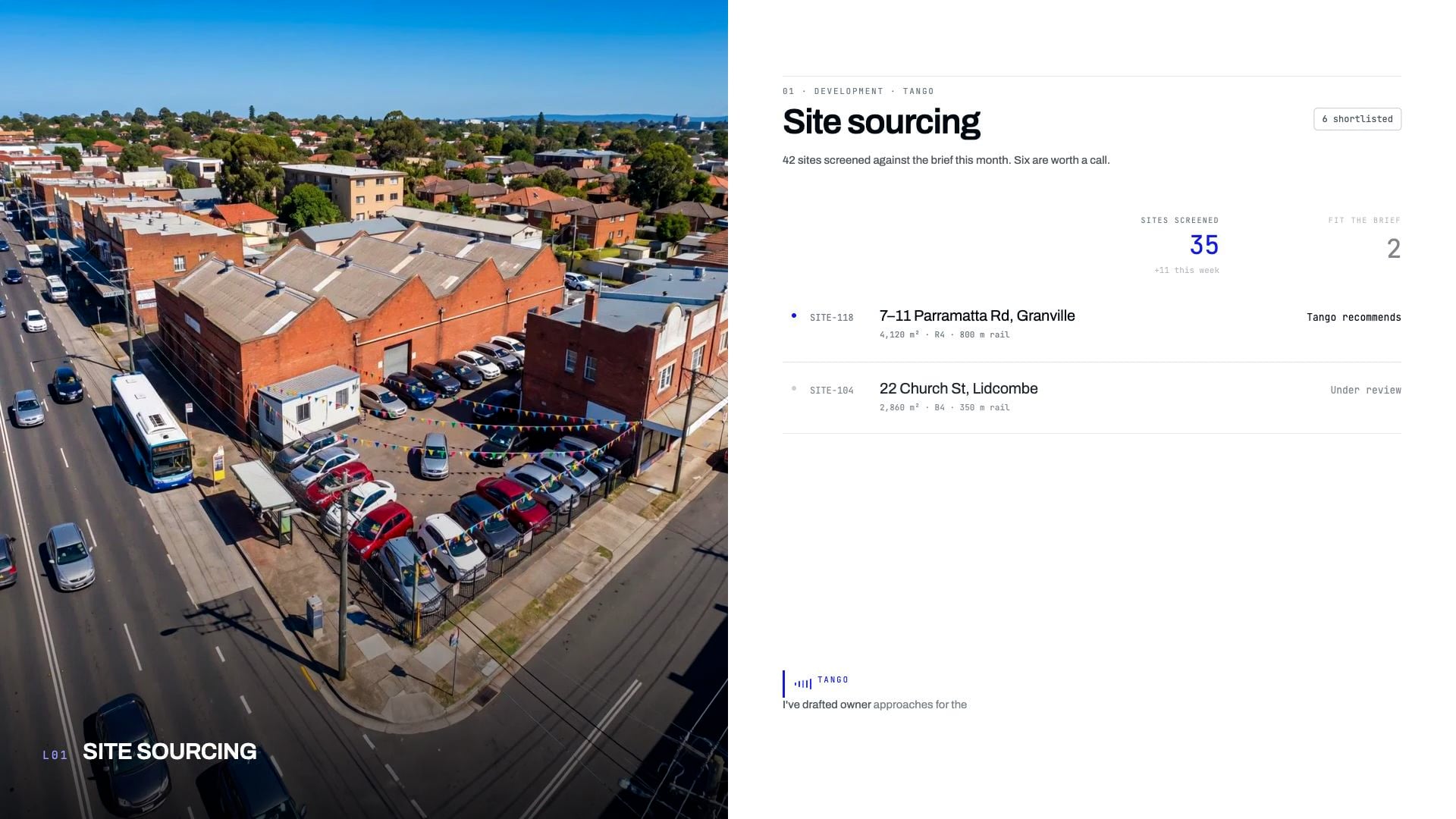
Site sourcing

ENTERS
A site address, zoning controls, comparable sales.
LEAVES
A site brief with yield range and price ceiling.
SIGNS
Developer
02

Feasibility

ENTERS
The site brief, current cost rates, sales assumptions.
LEAVES
A feasibility model with a go / no-go position.
SIGNS
Construction Director
03

Approvals

ENTERS
Concept design, planning controls, consultant reports.
LEAVES
Development approval and a conditions register.
SIGNS
Developer
04

Design

ENTERS
Approval conditions and the design brief.
LEAVES
A coordinated architectural and structural drawing set.
SIGNS
Design Manager
05

Estimating

ENTERS
The drawing set and specifications.
LEAVES
A cost plan and a bill of quantities.
SIGNS
Contracts Manager
06

Procurement

ENTERS
The bill of quantities, split into trade packages.
LEAVES
Procurement packages, tender comparisons, letters of award.
SIGNS
Contracts Manager
07

Commercial

ENTERS
Awarded subcontracts and the construction programme.
LEAVES
Variations, progress claims, a cash-flow forecast.
SIGNS
Contracts Manager
08

Construction

ENTERS
Programme, packages and the current drawing revision.
LEAVES
Site diary, RFIs, progress records against programme.
SIGNS
Site Manager
09

Compliance

ENTERS
Progress records and inspection requests.
LEAVES
Inspection test plans, certificates, NCC evidence.
SIGNS
Project Manager
10

Handover

ENTERS
Certificates, as-built drawings, manuals.
LEAVES
Occupation certificate and the handover pack.
SIGNS
Project Manager
11

Defects

ENTERS
Owner reports and warranty terms.
LEAVES
A defects register with closed-out rectifications.
SIGNS
Site Manager
12

Maintenance

ENTERS
The handover pack and asset schedule.
LEAVES
A maintenance log, by asset, per building.
SIGNS
Developer / Operator
13

Learning ⟳ 01

ENTERS
Every record from stages 01 to 12.
LEAVES
Rates, durations and defect patterns, fed back into the next site brief.
SIGNS
Construction Director
MODULES

Start anywhere. Connect everything.

You don't have to start with everything. Start with one module. Add more when you're ready.

A — ONE MODULE1 / 13
01SITE SOURCING02FEASIBILITY03APPROVALS04DESIGN05ESTIMATING06PROCUREMENT07COMMERCIAL08CONSTRUCTION09COMPLIANCE10HANDOVER11DEFECTS12MAINTENANCE13LEARNING

Procurement alone. Your packages, tenders and awards in one record — everything else stays where it is.

B — ADD THE NEXT2 / 13
01SITE SOURCING02FEASIBILITY03APPROVALS04DESIGN05ESTIMATING06PROCUREMENT07COMMERCIAL08CONSTRUCTION09COMPLIANCE10HANDOVER11DEFECTS12MAINTENANCE13LEARNING

Add Commercial. Awards flow into contracts; variations and claims inherit the package they came from.

C — THE FULL LOOP13 / 13
01SITE SOURCING02FEASIBILITY03APPROVALS04DESIGN05ESTIMATING06PROCUREMENT07COMMERCIAL08CONSTRUCTION09COMPLIANCE10HANDOVER11DEFECTS12MAINTENANCE13LEARNING

All thirteen stages, one continuous record — and Learning feeds the next site.

Integrations

Biltflow works with your existing stack.

Connect first. Replace on your timeline, not ours.

How to read this

Each system on the left and right already holds part of the job. Hover or tab a system to trace what lives in it today, and where it lands.

Project & commercial systems
Finance, measure & messaging
One record

Twelve systems.
One record.

What lives there today
  • Hover a system to trace what it already holds — and see it land in one record.
[ Connector scope to confirm ]

Product names and logos are the property of their respective owners and appear here for identification only. No partnership, affiliation or endorsement is implied. Record types listed describe what each system typically holds on a project; the scope of each connection is confirmed during onboarding.

Fig. — connection schedule
Provenance · Orchestration

Built on real construction. EVE holds it together.

Trained on the documents a building actually produces — in the order it produces them. EVE is the layer that knows how each one refers to the next.

Relationship readout — / 09

Nine document types.

A building produces the same records in the same order, every time. Biltflow is built on those records — not on a general model taught to talk about buildings.

Select a document
Hover or tab a document
Selected document
Related through EVE
Not in this relation
Fig. 02 — Document relationship map · NTS
Orchestration layer EVE At rest 01 ARCHITECTURAL DRAWING 02 STRUCTURAL DRAWING 03 COST PLAN 04 BOQ 05 CONTRACT 06 PROGRAMME 07 PROCUREMENT PACKAGE 08 SITE PROGRESS 09 COMPLIANCE
How far EVE is allowed to go — you set it, per agent

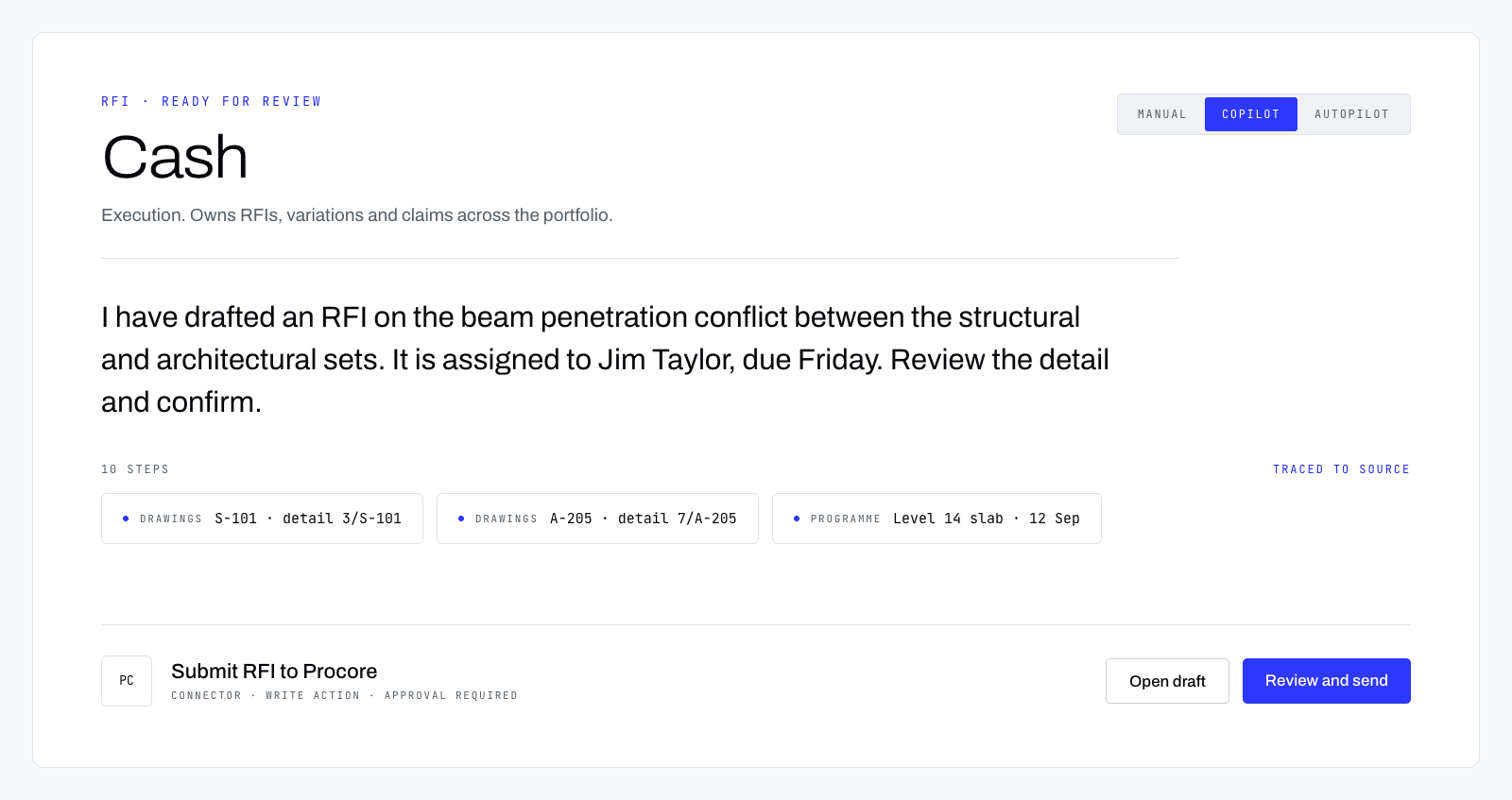
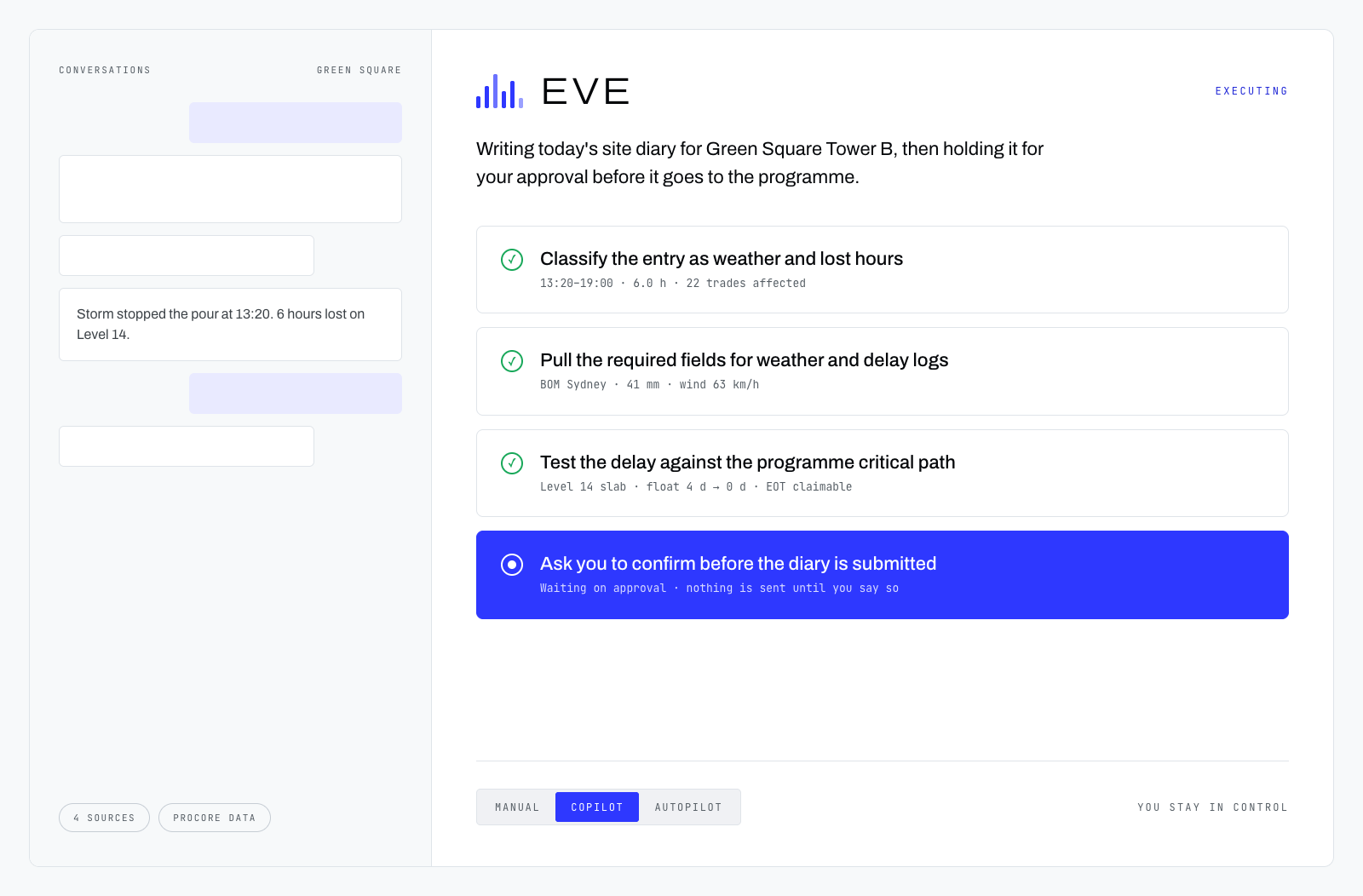
EVE drafts. A person approves every one, and the draft carries the document it was drawn from.

No autonomous approvals by default Every draft carries its source document Every relation is traceable to a record
[ Training corpus — scale and source pending verification. No figure to be published until confirmed. ]
08 — The compounding advantage

Every building creates knowledge.
Biltflow remembers it.

Rates, durations, subcontractor performance and defect patterns carry from one project into the next site brief.

Section through the knowledge base Equal depth drawn — composition varies
Knowledge base Site brief datum ▼
RatesL1
DurationsL2
Subcontractor performanceL3
Defect patternsL4
Industry baseline
Project 01

Built on the industry baseline.

Prior buildingsNone
Project 02

Estimated with Project 01’s real rates.

Prior buildings01
L1From 01
Project 03

Programmed with two projects’ real durations.

Prior buildings01, 02
L1From 01–02
L2From 01–02
Project 04

Defect patterns from three buildings, designed out before tender.

Prior buildings01, 02, 03
L1From 01–03
L2From 01–03
L3From 01–03
L4From 01–03
From completed buildings Depth of real knowledge Industry baseline — no history Carries into the next site brief →
[ Worked example — pending first completed project ]

09  /  Who it's for

Six roles. One record.

Each role sees the stages it signs for — and the ones upstream that decide its week.

The thirteen stages

All six roles — how many sign for each stage

01SITE SOURCING
02FEASIBILITY
03APPROVALS
04DESIGN
05ESTIMATING
06PROCUREMENT
07COMMERCIAL
08CONSTRUCTION
09COMPLIANCE
10HANDOVER
11DEFECTS
12MAINTENANCE
13LEARNING
Owns it · signs for it Reads it · decides its week Not in this role's path Hover a role to resolve the ruler

SITE MANAGER

The diary, the RFIs and the defects list, without re-typing any of them.

Owns 3 of 13 · reads 3 upstream

[ FOR SITE MANAGER — PENDING ]

PROJECT MANAGER

Programme, compliance and handover held against one set of dates.

Owns 3 of 13 · reads 4 upstream

[ FOR PROJECT MANAGER — PENDING ]

CONTRACTS MANAGER

Every package, award, variation and claim traced back to the BOQ line it came from.

Owns 3 of 13 · reads 2 upstream

[ FOR CONTRACTS MANAGER — PENDING ]

DESIGN MANAGER

Drawing revisions that know which cost line and which package they change.

Owns 2 of 13 · reads 2 upstream

[ FOR DESIGN MANAGER — PENDING ]

DEVELOPER

Feasibility built on what your last building actually cost, not the industry average.

Owns 3 of 13 · reads 2 upstream

[ FOR DEVELOPER — PENDING ]

CONSTRUCTION DIRECTOR

One view across every project, and a record that gets better with each one.

Owns 3 of 13 · reads 5 upstream

[ FOR CONSTRUCTION DIRECTOR — PENDING ]

Fig. 09 — Stage ownership by role · NTS

Stage assignment drafted from construction practice — to be confirmed

FIG. 10 — OBJECTION REGISTER · RAISED / ANSWERED / OPEN

The five questions we get asked. Answered, or marked open.

Every one came out of the same conversations as the two notes on the right. Three of them have answers. Two don't yet — and we would rather leave those marked open than write something in the box that falls over on the second call.

Answered here Open — not answered here Three answered · two open

You shouldn't. Pulling a working system out mid-project is how a programme slips.

Biltflow is built to connect first. It reads from the tools you already run and gives you one place where the variation, the RFI and the programme are forced to agree with each other. What you eventually replace, and when, stays your call — a builder who replaces nothing for two years is a supported outcome here, not a failed rollout. Your existing vendors are not the problem in this story; the gaps between them are.

See § Biltflow works with your existing stack

Mostly they shouldn't have to. The rule we design to: if a foreman has to open Biltflow to do his job, we have built that stage wrong.

Site facts arrive from the tools already on the phone. The reconciling happens in the office layer, where the commercial and contracts roles already sit and already get paid to reconcile things.

The condition, stated plainly: there are a handful of points in the lifecycle — practical completion, defect sign-off, a variation instruction — where a person on site has to put their name to something. No software removes that, and any vendor telling you otherwise is selling you a reporting problem for later. Our job is to make those moments one field and a signature, not a form.

You do. Your drawings, your cost plans and your rates stay yours, and you can take them out.

Your commercial data is not pooled into something that prices a competitor's job. That is not generosity — a company that wants to hold Australian builders' bills of quantities has exactly one defensible position available to it, and that is the one.

What we will not do is show you a trust badge and move on. The version that matters is written, signed and enforceable, and that document is not finished.

[ Data & IP schedule — with counsel, not yet issued ]

We cannot tell you, and we are not going to guess in public.

Biltflow has not yet run a full lifecycle on a live high-density job. That means we have no implementation timeline we would be willing to put in a contract, so we are not going to print one on a website.

What we can do is scope it against your project: which stage you would start with, what condition your data is actually in, who owns it internally, and what has to be true before it is useful. You get a range with the assumptions attached, in writing. Any vendor quoting you a fixed number before they have seen your drawings is quoting you somebody else's job.

There is no price on this website, because there is not yet a price worth publishing.

It depends on how many stages you switch on and how much work runs through them, and it is settled in a conversation with commercial terms attached — not read off a three-column table. We would rather leave this box visibly empty than fill it with a figure that changes the moment you ask a real question about your own job.

RFI-06 [ Your question — not yet raised ]
No customer references appear on this page. Biltflow has none yet. Register maintained by Biltflow · answers change when the facts do
biltflow
THE AI-NATIVE OPERATING SYSTEM FORHIGH-DENSITY RESIDENTIAL DEVELOPMENT + CONSTRUCTION

BUILD. LEARN. IMPROVE. REPEAT.

Book a demo